Sara, your daily AI report
What Sara's daily report shows on your dashboard, who sees it and how to get notified.
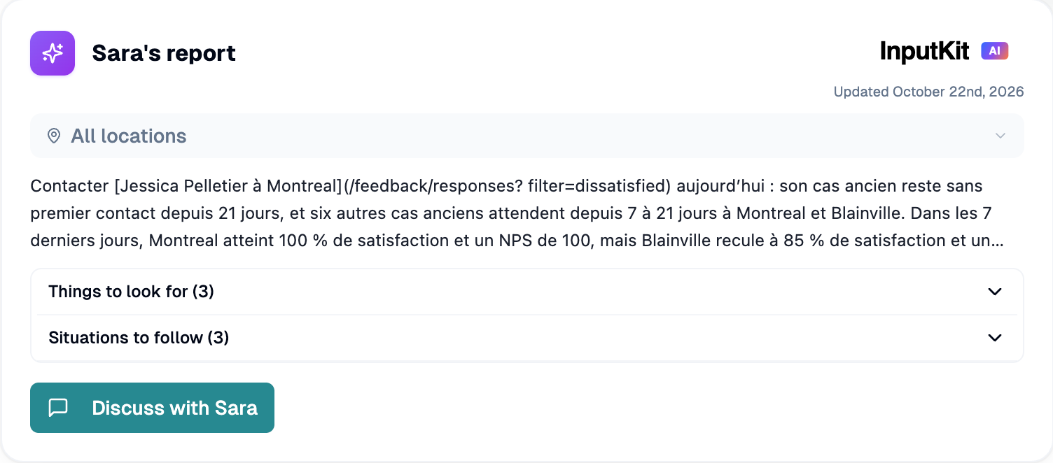
Sara is InputKit's AI coach. Every day she reviews your customer feedback and shows you what deserves your attention on the dashboard, in Sara's report.
Where to find it
Open the Dashboard. Sara's report is the card at the top, in the executive summary section.
Who can use it
Sara is part of the AI Assistant add-on. Without it, the card shows a short preview and the button Add the option (or Choose my plan if you have no plan yet).
If your monthly AI usage limit is reached, the card says so and links to the plans.
Users need access to the dashboard reports. The All locations view is available to users who can access all locations; other users see their own locations.
For more on the add-on and usage limits, see the AI Assistant article.
What the report contains
Each day around 8 a.m. (your company's time zone), Sara analyzes your locations and updates her report.
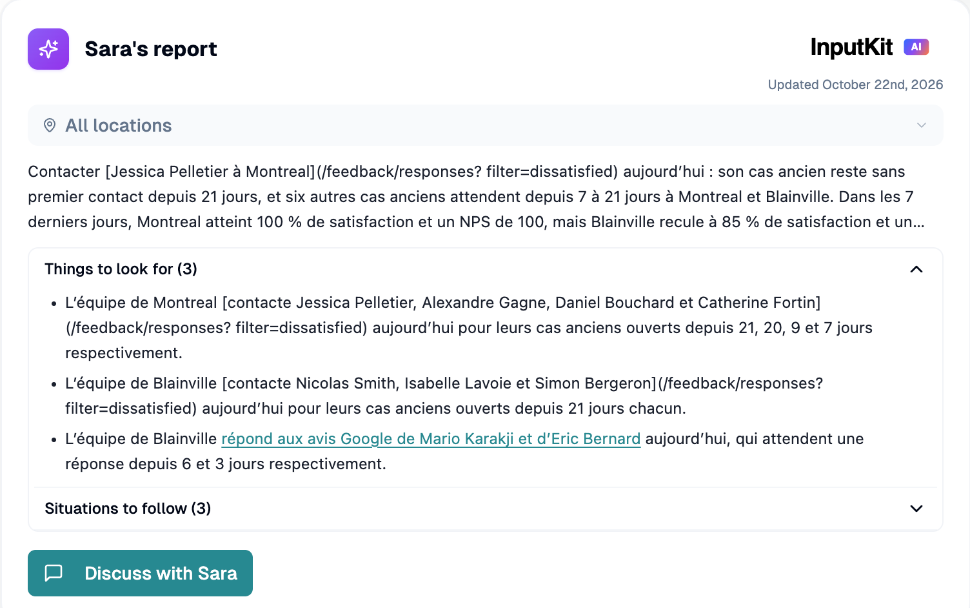
A short summary.
For the company view: Things to look for and Situations to follow, each with a count.
For a single location: Priority findings, the top five by importance.
The Updated date.
While a report is being prepared you see "Sara is analyzing your locations…" with progress. If a report fails, Sara tries again the next day.
Choose the scope
If you have several locations, use the Coach scope selector to switch between All locations and one location.
Talk to Sara
Click Discuss with Sara to open the AI assistant with the report already loaded, then ask follow-up questions. The button is available once today's report is ready.
Get notified
Sara doesn't alert you every day. A notification is sent when something is worth your attention, for example an unanswered Google review, or a clear move in NPS or star ratings. If nothing notable happens, you still receive a check-in after about five days.
To choose how you are notified:
Go to Settings, then Notifications.
On the Sara row, turn on the channels you want: In-app (on by default), Email, mobile push, and Slack if it is connected.
Save.

Notifications go to managers and admins who can access all locations.
Good to know
Sara's reports don't use response rate.
Reports are generated automatically; you can't trigger a new run yourself.
If you have any questions, feel free to contact us via the chat.