How to report a fake Google review
Report a fake review to Google the right way, and learn what to do if Google turns you down.
Google removes reviews that violate its content policies, not reviews that are simply negative. A review is eligible when, for example:
The person was never your customer (Google calls this fake engagement).
A competitor, or someone with an interest in harming you, wrote it (conflict of interest).
It contains insults, harassment, or someone's personal information.
1. Check your records
Look up the review's author in InputKit as well as in your appointment or billing history. If you find nothing, take note: this is what you will tell Google. Take a screenshot of the review and the reviewer's profile.
2. Report the review
Open your reviews in Google Business Profile, or search for your business on Google Maps and open the Reviews tab.
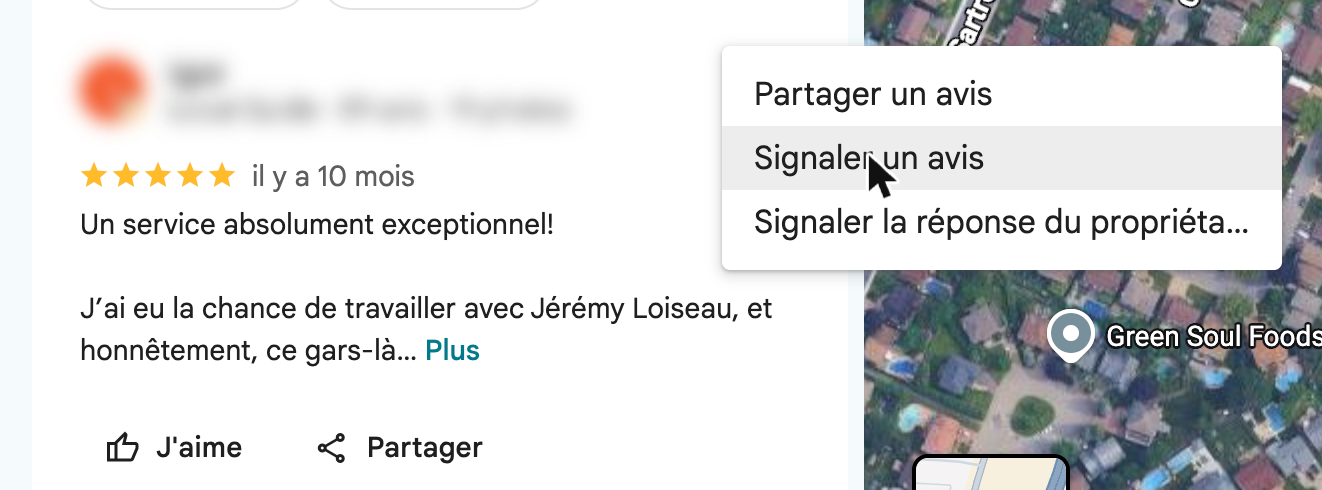
Click the ⋮ menu next to the review, then click Report review.
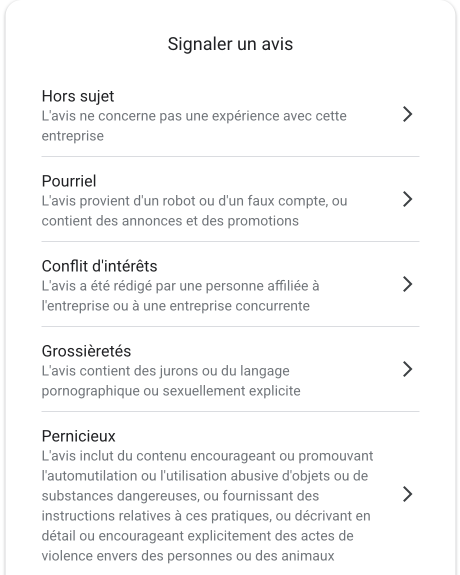
Choose the reason that best applies (for example, Spam for a fake account or Conflict of interest for a competitor) and submit.
Report each review only once. Reporting it again will not speed anything up. Google's step-by-step instructions can be found in Remove reviews from your Business Profile.
3. Follow up and appeal
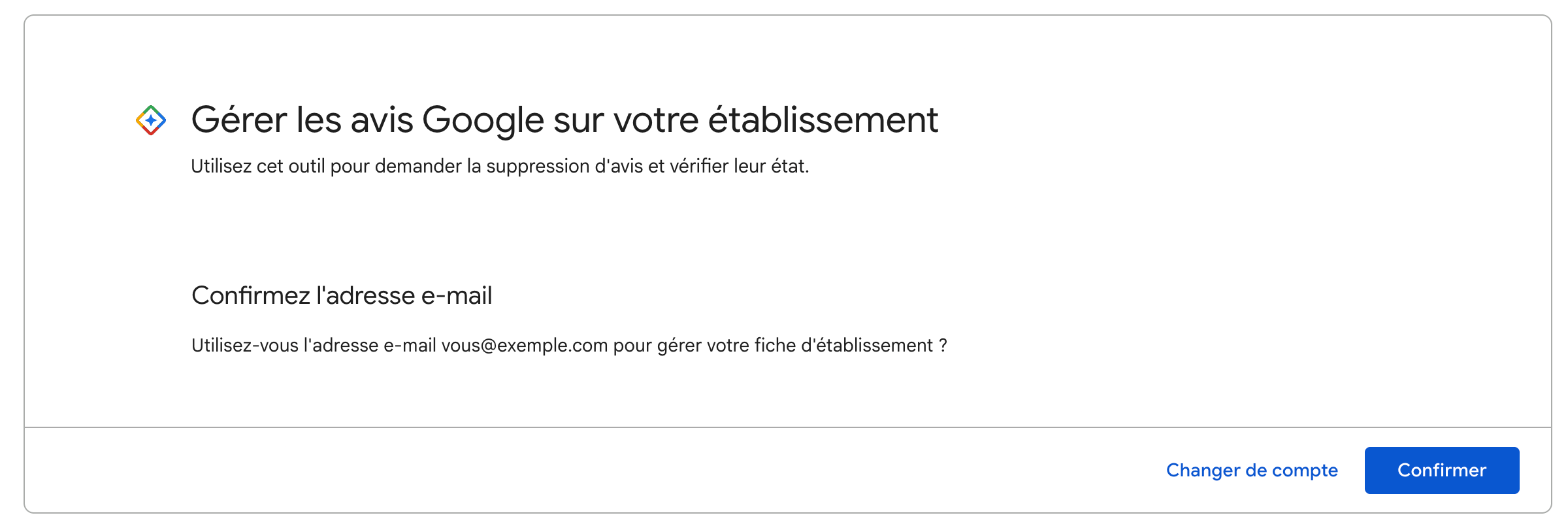
Google's review management tool shows the status of each report. Sign in with the Google account that manages your profile, then click Confirm.
If the status is Report reviewed – no policy violation, you can appeal once through the tool and submit your evidence. Google will reply by email.
Still stuck? Contact Google Business Profile Help.
4. Reply in the meantime
Customers read your replies, so respond briefly and calmly:
We have no record of a visit under this name. Please call us at [phone number] so we can look into this.
You can reply right from InputKit: Managing Google reviews in InputKit.
Special cases
Someone asks for money to remove bad reviews. Do not pay. Report them using Google's review extortion form and attach their messages.
The review contains false claims that harm your business. Use Google's legal removal request and consult a lawyer.
What not to do
Never offer anything in exchange for a review or its removal, ask friends or staff members to post reviews, or pay a service that promises to delete them. All of these practices violate Google's policies and can put your listing at risk.
The best defence is always volume: when InputKit invites every customer to leave a review, a single fake review will barely affect your rating.