How to connect Aircall to InputKit and analyze your calls
Sync your Aircall calls, link agents to employees and get AI call analysis in the Verbatims report.
The Aircall integration brings your customer calls into InputKit, transcribes them and analyzes them with AI. It does not send surveys. Call insights appear in the Verbatims report under the source Aircall calls, which requires the AI Assistant add-on.
Before you start
You need permission to manage integrations.
In Aircall, you need an App ID and an App Secret: log in to your Aircall dashboard, open your account settings, go to Integrations or API, create (or reuse) an application, and copy both values.
Connect Aircall
Click your name in the top-right corner, then Integrations, then Add integration and choose Aircall.
Enter your App ID and App Secret.
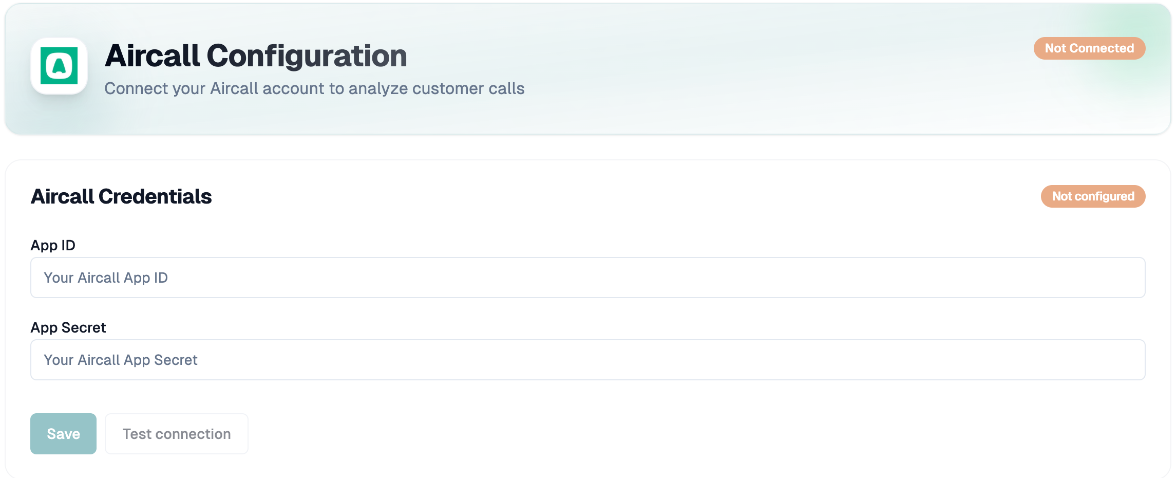
Click Test connection (optional) then Save. InputKit checks the credentials with Aircall before saving. The card then shows Aircall connected.
Link Aircall users to employees
Only calls from Aircall users linked to an InputKit employee are synced.
Under Map Selected Users to Employees, for each Aircall user choose an action: link to an existing employee (use Search employee...), Create new employee, or Skip this user.
Click Save Mappings. Use Edit Selection later to change them.
If you unlink a user, confirm Unlink and delete: their calls, transcripts and analyses are permanently deleted.
Sync and analyze
Click Start Sync. InputKit imports the calls of the last 30 days that have a recording. Progress is shown ("Fetching calls from Aircall...", "Processing calls...") and finishes with Sync Completed Successfully! and the numbers of calls processed, new calls and recordings.
Click Start Call Analysis to analyze them right away.
After that, sync runs every hour and analysis runs every hour too, without any action from you. Each analysis gives a sentiment, a score, a summary, key points and topics, based on what the customer says.
Under Sync History you can see past syncs: In Progress, Completed or Failed.
Other buttons
Clear Cache: the next sync reprocesses all calls.
Disconnect: removes the connection.
Troubleshooting
No Aircall users found: use Retry.
Sync Already Running: wait for the current sync to finish.
No employees are mapped to Aircall users: complete the employee mapping first.
Invalid credentials / Access denied / Rate limit exceeded: check the App ID and App Secret and the permissions of your Aircall app, or try again later.
Calls without a recording are skipped.
If you have any questions, feel free to contact us via the chat.