How to set up your SMS phone number
Set up your SMS sender number, choose which number each location uses and understand the monthly SMS reset.
To send sequences by SMS, your company needs a phone number. This article explains how to set it up and manage it.
Before you start
You need the permission to manage phone numbers (admins and managers have it by default). Only users who can access all locations can assign numbers to locations.
Set up your first SMS number
Click your name in the top-right corner, then Settings, and open the SMS tile (Manage Phone Numbers).
If you have no number yet, the page says No phone numbers configured. Click Set up SMS number.
InputKit creates your SMS account and a Canadian local number for you. When it's done, SMS number set up successfully appears.
If something goes wrong, try again or contact support. Additional numbers can't be added by customers: contact support if you need more.
Manage your numbers
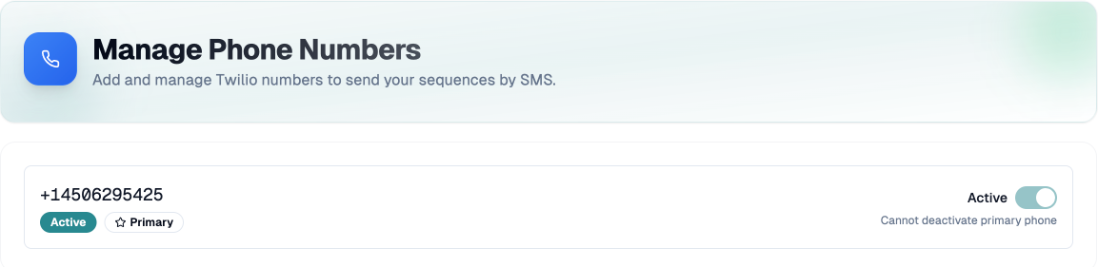
Each number shows an Active or Inactive badge and a Primary badge.
Turn the Active switch off to stop using a number. You can't deactivate the primary number or your last active number.
With several numbers, click Set Primary to choose the main one.
Choose which number a location uses
If you have several numbers and several locations, use Assigned Locations on a number:
Open Assign to Locations and pick the locations.
Optionally click Set as primary for location (badge Primary for this location).
Remove a location with the X.
InputKit picks the sender number in this order: the location's primary number, then the company's primary number, then any active number. Locations with no assignment use the primary number.
When you create a location and have several numbers, you are asked to choose Phone for this location.
SMS quota
Your SMS allowance comes from your SMS option (see the Billing article). The SMS card shows SMS used and Resets on. The counter resets every month on your renewal date. When the limit is reached, a SMS limit reached warning appears when you send.
If you have any questions, feel free to contact us via the chat.