Delighted customers: find and celebrate your happiest customers
See the customers InputKit detects as delighted, and mark others yourself.
The Delighted Customers page lists the customers who have shown strong satisfaction, so you can thank them, ask for a review or share the good news with your team.
Open the page
Open the Customers page and click Delighted Customers.
Who is detected automatically
InputKit adds a customer when:
a survey response has an NPS of 9 or 10 (or an overall rating of 9 or more) and includes a comment, and the customer is identified;
an online review (Google) is exactly 5 stars with a comment.
Each card shows how it was detected (Automatically detected or Created by), the date (Detected at) and the Original Comment. If a review can't be matched to a customer, it shows No customer matched or Most likely match.
Filter
Use Filter by source to show All sources, Survey Response, Online Review, Manual or Audio Feedback.
Mark a customer as delighted yourself
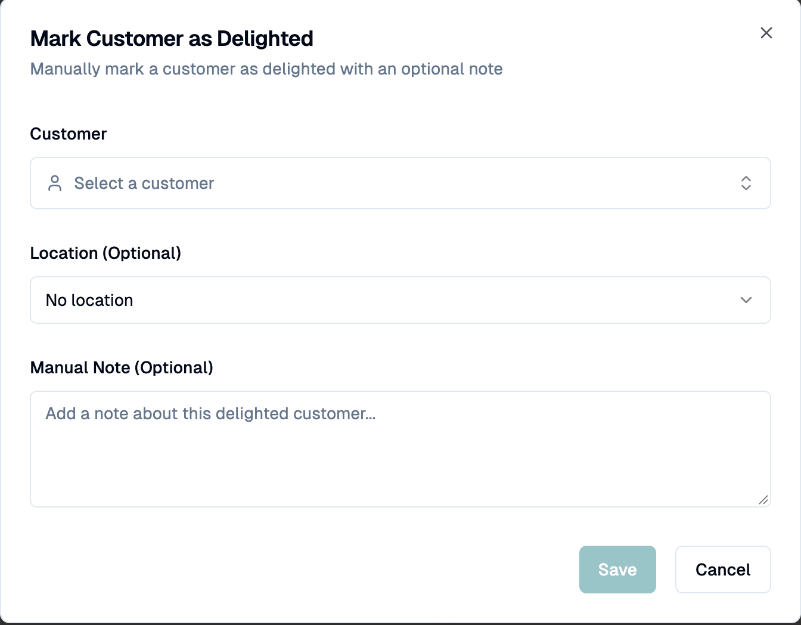
Click Mark Customer as Delighted.
Choose the Customer, optionally a Location, and optionally add a Manual Note.
Click Save. Delighted customer created successfully appears.
You can mark the same customer only once per day.
Edit or delete
You can edit the note (Add Note or Edit Manual Note). Delete Delighted Customer removes the entry for good.
If you have any questions, feel free to contact us via the chat.